
Shared files owned by inactive Google accounts will be deleted: how this affects you
April 17, 2026
Now is the time to take action if you access or rely on files belonging to colleagues who are no longer employed by the university. The University of Alaska, in an effort to reduce costs associated with online storage, will delete Google Workspace accounts that have been inactive for four or more years. While an exact date has yet to be set, these accounts have recently been disabled.
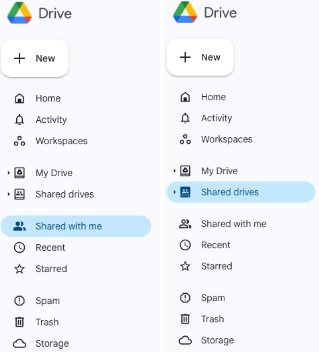
If you access files that were originally shared by a former colleague, those files could disappear when the former colleague's UA user account is deleted. Identify any shared files you access that belong to people who are no longer at the university and make a copy as soon as possible. If it's a smaller file, save it in your individual work drive. If the file is larger, contact your IT help desk for the best storage location options.
Why this matters
When someone leaves the university, files stored in their personal UA Google Drive do not automatically transfer to anyone else. If you have been accessing a spreadsheet, report or project document through a link shared by a former coworker, that access, and the file itself, will be gone once their account is deleted.
Use your departmental shared drive
One effective way to protect against this kind of disruption is to move important shared files into a departmental shared drive.
Unlike files stored in an individual's personal UA Google Drive, files in a shared drive belong to the team. That means the whole department retains access regardless of staff changes. No single person's departure can cut off access to critical documents. As an added benefit, files stored in a shared drive do not count against any individual's personal storage allotment.
Shared drives give departments a central place to store documents, collaborate on projects and manage files collectively. They are especially valuable for reports, operational documents and any files that an entire team relies on regularly.
Steps you can take now
UA recommends taking a few straightforward steps to get organized:
- Move team files out of personal drives. If a file is owned by one person but used by a group, relocate it to the department's shared drive. If the file is owned by a former employee but still accessed by your team, copy it to a shared drive as soon as possible.
- Locate files owned by former employees. Search your Google Drive and your team's shared drive for files owned by colleagues whose accounts have been, or will soon be, deleted. Copy and move those files, or delete them if they are no longer needed.